
FortuneView - Earn Money
FortuneView DeveloperVideo Players & Editors
4.322.00 Reviews
- Version
- 1.0.2
- Installs
- 50.00K
- Age Rating
- Everyone
Screenshots

Our Review of FortuneView - Earn Money
 Analysis by Appyee
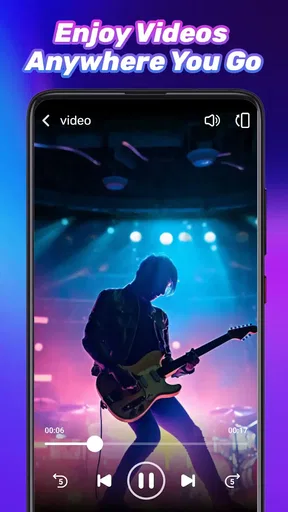
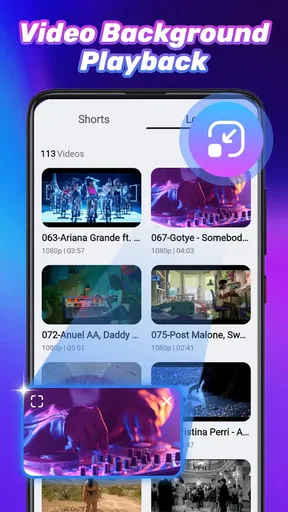
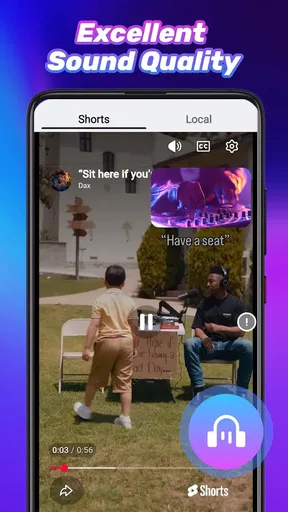
I spent time with FortuneView as a lightweight video player and editor, and my first impression is that it is aiming at people who want a straightforward way to handle video on an Android device rather than a full production studio. That distinction matters. The app sits in the video players and editors category, but its store summary presents it as a professional playback tool, so I approached it mainly as something for watching, checking, and managing video playback in everyday situations.
It is free to use, carries an Everyone age rating, and comes from FortuneView Developer. The current release is version 1.0.2, while the app itself is listed as released on June 11, 2026. Those details place it at an early stage, and that is the most useful way to judge it: not as a mature replacement for every established media app, but as a young option that may appeal to users who prefer a focused interface and a simple starting point.
How FortuneView feels in everyday use
The best way to understand this app is to imagine a normal phone-based video routine. I might receive a clip in a messaging app, save it locally, and want to watch it without opening a social network or a more complicated editing suite. A dedicated player can make that process feel cleaner, especially when I only need to review a recording, check a downloaded file, or watch a short personal video away from a larger screen.
That is where FortuneView makes the most sense. It belongs to the part of the app market where convenience matters more than a long list of creative tools. If your priority is getting to a video quickly, keeping playback separate from social feeds, and avoiding the visual overload of a full editor, its focused purpose is appealing.
I would not treat the word “professional” as proof that this is a complete workstation. A professional playback tool can simply mean that playback is the central job rather than an extra feature attached to another service. For serious editing, detailed color work, multi-track sound, captions, or polished publishing workflows, I would still look toward a dedicated editor. FortuneView is easier to recommend when the task is viewing and checking video rather than producing a finished project.
The app’s public response is encouraging but still modest in scale. It has a 4.3 average from around two hundred ratings, with more than twenty written reviews and over fifty thousand installs. I see that as a useful sign of early interest, not as proof that it has already been tested by every type of Android user. A young app can be pleasant for a particular audience while still having rough edges that broader adoption will expose.
A practical workflow for downloaded clips
One useful habit is to treat the app as a checking station before sharing a video. After saving a clip, I would open it in FortuneView first, watch the beginning and end, confirm that the picture and sound behave as expected, and only then send it to someone else. This small step avoids sharing a file that is incomplete, badly framed, or simply the wrong recording.
That workflow is especially useful for people who record short demonstrations, family moments, school activities, or work-related clips on a phone. The player becomes a quick inspection tool rather than just a place to press play. It can also help when a file comes from several different sources and I want one familiar place to review it.
A second practical use is comparing several recordings before choosing one to keep. Instead of opening each clip through a different file notification or messaging thread, I can use a dedicated video app as the point where I make that decision. The benefit is not a flashy feature; it is the reduced mental effort of separating video review from the app where the file originally arrived.
Where it differs from familiar alternatives
Most Android users already have a default gallery or a built-in media player. Those options are convenient because they are already installed and closely connected to the phone’s file system. Choosing FortuneView therefore needs a reason. Its appeal is the possibility of a more deliberate playback experience, with video treated as the main subject instead of one item among photos, screenshots, downloads, and cloud memories.
It also differs from social video apps, which are designed around discovery, recommendations, comments, and sharing. FortuneView is a better conceptual fit when I want to watch my own files without being pulled into an endless feed. That makes it more suitable for private review and less suitable for someone whose main goal is finding new entertainment.
Compared with a full video editor, the trade-off goes the other way. An editor gives me tools for trimming, arranging, adding text, adjusting sound, and exporting a finished result. A playback-focused app should be quicker for inspection, but it will not replace that larger workflow. If you routinely turn raw footage into content, I would use FortuneView as a viewing step at most, not as the center of the project.
There is also a difference between a general media player and a cloud-centered service. A cloud service is convenient when a person moves between devices or keeps a large online library. A focused Android player is more attractive when the immediate task is opening video on the phone in hand. Users who depend on synchronized libraries should make that priority clear before switching from their current solution.
What the current release tells me
Version 1.0.2 is important context. It suggests that the product is still establishing its basic identity, and I would judge this release mainly on whether it makes ordinary playback easy and dependable. I would not assume that a young version already covers every advanced preference found in long-established players.
The release date also gives the app a relatively fresh starting point. That can work in its favor because a newer product may feel less burdened by years of accumulated menus and settings. At the same time, early releases often need feedback from a wider range of phones, video files, and user habits. My advice is to begin with a few nonessential clips rather than immediately making it the only player for an important archive.
For existing users, the move to version 1.0.2 should be viewed as part of the app’s early evolution rather than a promise of a completely different product. The practical question is whether the current build fits your routine today. I would install it, test the videos I actually watch, and pay attention to how quickly I can reach a file, pause and resume naturally, and return to the same task without confusion.
That testing approach is more valuable than judging the app by its category label. Video playback can vary considerably between devices and files. A clip recorded on one phone may behave differently from a downloaded file or a compressed message attachment. Testing several real examples gives a clearer answer than relying on a single successful opening.
Small habits that make the app more useful
My first tip is to create a short personal test set. Keep one ordinary camera recording, one clip received from another person, and one video that you care about enough to inspect closely. Opening these three types of files helps reveal whether FortuneView fits your actual habits. It also prevents the common mistake of deciding that a player is suitable after watching only one familiar clip.
My second tip is to use it before editing, not only after downloading. If I am preparing a video for another app, I would watch it from start to finish first and check the moments that matter: the opening frame, spoken instructions, transitions, and final seconds. This catches problems before they become part of a larger editing session.
A third insight is that a simple player can be valuable for people who share devices or help relatives with phones. A focused video tool is easier to explain than a large creative suite full of unrelated controls. I would still demonstrate the basic routine in person, but the narrow purpose gives the app a clearer role: open a video, review it, and decide what to do next.
There is a trade-off here. Simplicity saves time only when the app supports the files and habits a user already has. If someone needs extensive sorting, casting, cloud access, subtitle management, or detailed playback customization, a more established alternative may be the wiser choice. I would not choose FortuneView merely because it is free; I would choose it because its focused role matches the task.
Who should try it, and who should skip it
I think FortuneView is worth trying for Android users who want a separate place to review personal videos, downloaded clips, or recordings before sharing them. It is also a reasonable candidate for someone who finds a photo gallery too cluttered for video work and does not want a social platform involved in private viewing.
It may suit students checking recorded lessons, families reviewing phone footage, and casual creators inspecting material before opening an editor. In these cases, the app’s value comes from the transition between receiving or recording a video and deciding whether it is ready to keep, share, or edit.
I would be more cautious if your needs are advanced. People who work with demanding production formats, require a deep library system, move constantly between devices, or expect a complete editing environment should compare it with a specialist tool first. The same applies to users who are perfectly happy with their phone’s existing player and do not feel any friction in their current routine.
The Everyone rating makes it approachable for a broad audience, but an age label does not answer every practical question about suitability. A parent, teacher, or workplace user should still decide whether the app’s workflow matches the files and responsibilities involved. The rating describes the intended audience level; it does not replace personal testing.
Gaps I would keep in mind
The main limitation is expectation management. The category combines players and editors, while the app’s positioning emphasizes playback. That can create confusion for someone expecting a complete video-making toolkit. I would enter with a playback-first mindset and only keep it in my regular workflow if that role proves useful.
Another gap is maturity. With a current version of 1.0.2 and a relatively small installed base, I would allow for the possibility that the experience may not yet be as polished or broadly proven as older alternatives. That is not a criticism of the concept; it is a reason to test before depending on it for important work.
I also would not assume that a professional-sounding description means every advanced playback preference is available. If you care about a very specific control, format, library behavior, or editing operation, check it directly in your own routine. The safest decision is based on what you can do comfortably in the current release, not on what the product might add later.
For people already invested in another player, switching has a cost even when the new app is free. You may need to adjust how you find files, remember where playback resumes, and explain the new routine to other users of the device. FortuneView needs to save enough time or reduce enough clutter to justify that small learning curve.
What I would watch as the app develops
I would pay attention to how FortuneView evolves from its early release. The most meaningful progress would be improvements that make everyday playback more dependable without turning the interface into a crowded toolbox. Better support for varied real-world video habits would matter more to me than a long list of decorative additions.
I would also watch whether the developer keeps the distinction between playback and editing clear. If new tools arrive, they should support the core experience rather than make a simple review task feel like opening a full studio. Existing users benefit when updates solve real friction while preserving the reason they installed the app in the first place.
The current audience response gives the project a promising starting point, but the next stage should show whether that interest translates into a reliable long-term tool. I would revisit the app after using it with different recordings and after seeing how future releases handle the needs that early users bring forward.
My final view is positive but measured. FortuneView - Earn Money is a free Android video player and editor option with a clear playback-centered identity, an approachable age rating, and an early release that deserves practical testing rather than exaggerated expectations. I would recommend trying it if you want a dedicated place to inspect and watch videos without the distractions of social feeds or the complexity of a full editor.
My recommendation is to use it as a focused video checkpoint first. Let it prove itself on the files you actually handle, keep your established alternative available for advanced needs, and judge the app by the time it saves in your routine. For simple viewing and pre-sharing checks, it could become a useful addition; for serious production or highly specialized playback, another tool will probably remain the better fit.
Verdict
Strengths of FortuneView - Earn Money
- Simple interface makes earning options easy to find.
- Offers several ways to collect rewards in one app.
- Progress tracking helps users monitor their accumulated earnings.
- May provide useful promotional offers and limited-time bonuses.
- Suitable for users who prefer casual, low-effort reward activities.
Limitations of FortuneView - Earn Money
- Earnings may be small compared with the time required.
- Some tasks or offers may not be available in every region.
- Reward processing can take time after reaching the withdrawal threshold.
- Third-party offers may involve additional terms or eligibility rules.
- Frequent notifications and promotional content may feel intrusive.
Other Releases by FortuneView Developer
View All
Happy Tunes - Earn & Play
Music & Audio4.3
Similar Picks in This Category
View All
Google TV
Google LLC3.9

iTunes
Apple4.7

YouTube
Google LLC3.8

MX Player
Amazon Mobile LLC4.2

CapCut - Video Editor
Bytedance Pte. Ltd.3.5

PLAYit-All in One Video Player
PLAYIT TECHNOLOGY PTE. LTD.4.5
Frequently Asked Questions
What is FortuneView - Earn Money, and how does it work?
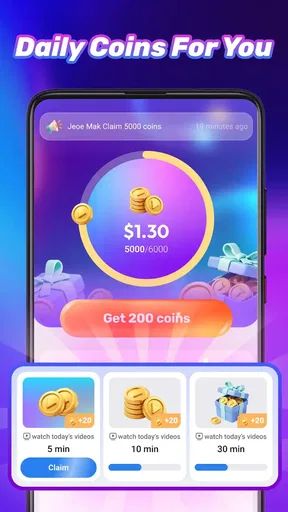
FortuneView - Earn Money is presented as a rewards application where users can complete available activities, such as viewing content, answering questions, or interacting with promotional offers, in exchange for points or earnings. After installing it, review the current task list, read each offer’s conditions carefully, and check the conversion rate before spending time on an activity, since available rewards and requirements may change.
Can I really earn money with FortuneView - Earn Money?
The app may provide opportunities to accumulate rewards, but it should not be considered a guaranteed income source. Earnings generally depend on the number of qualifying activities available, your location, eligibility, and the time required for each task. Before downloading, check recent user feedback and the app’s official terms to understand whether rewards are realistic and how long successful users typically take to reach a withdrawal threshold.
How can I withdraw my rewards from FortuneView - Earn Money?
Withdrawal methods and minimum payout requirements can vary by region, account status, and the current version of the application. Look inside the wallet, rewards, or payment section to confirm the available options, processing times, and any verification requirements. It is also important to read the rules for rejected or reversed transactions, because some activities may not qualify if they are incomplete, canceled, duplicated, or performed outside the stated conditions.
Is FortuneView - Earn Money safe to use?
Safety depends on how the application handles personal information, permissions, advertising partners, and payment details. Before creating an account, review the privacy policy, developer information, requested permissions, and terms of service. Avoid sharing sensitive information unless it is clearly necessary for a legitimate payout method, and never pay an upfront fee to unlock earnings. Installing the app from an official store also reduces the risk of modified or fraudulent versions.
What should I do if my points or rewards are missing?
If an activity does not credit correctly, first confirm that you followed every requirement, used the same account, and allowed enough time for tracking or verification. Keep screenshots, offer details, dates, and confirmation emails as evidence. Then contact FortuneView - Earn Money support through the in-app help system or official contact channel. Do not repeatedly complete the same offer, because duplicate attempts can invalidate the reward or trigger account review.
